One song. A different feeling.
Start with your vocal track. Use AI remix to explore the instruments, groove and energy around it.

Bring it closer
Explore a stripped-back version of your own vocal demo.
Warm acoustic folk, fingerpicked guitar, brushed drums, restrained energy.

Find a different pulse
Give the same starting idea an electronic direction.
Late-night electronic pop, rounded synth bass, crisp drums, spacious textures.

Think like a band
Try a fuller arrangement before taking it into rehearsal.
Indie rock, bright rhythm guitar, live drums, an energetic chorus.
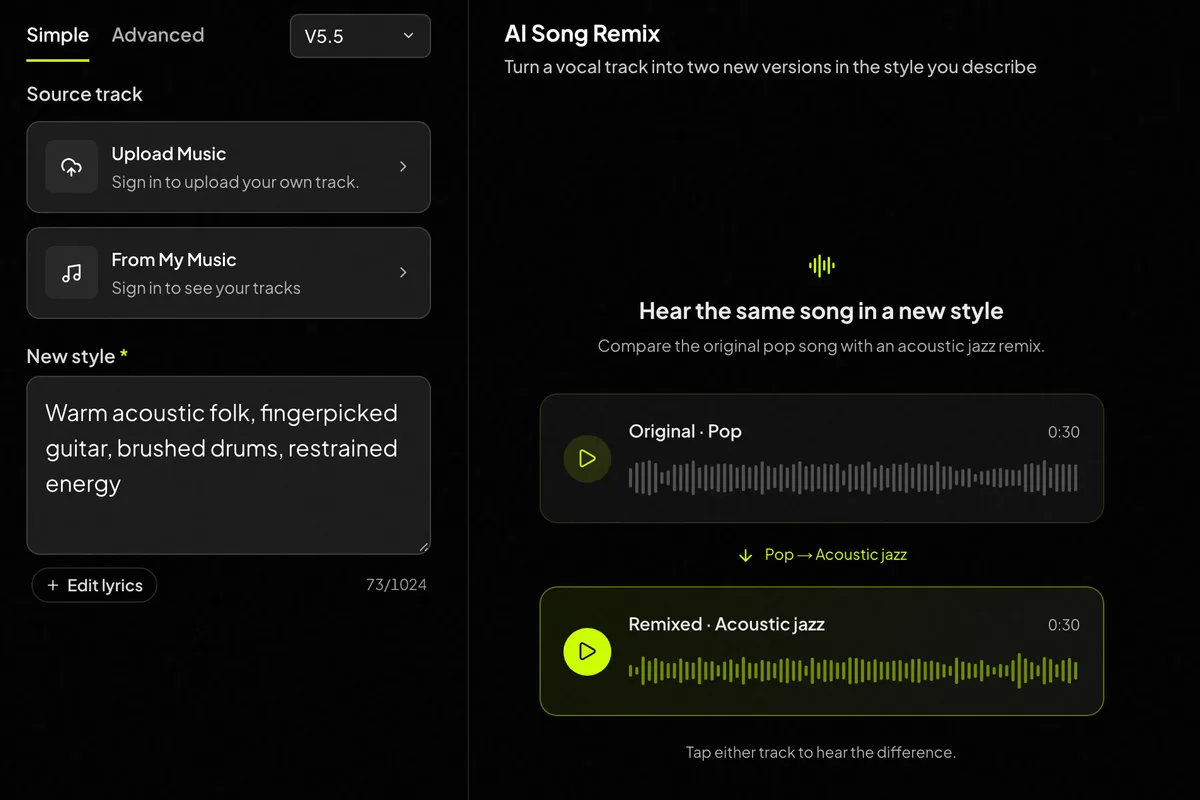
How to remix a song with AI
Choose your vocal track
Select an eligible track from My Music or upload audio you have permission to use.
Give it a direction
Use Simple mode for a style brief. In Advanced, review the prepared lyrics and edit the title.
Listen next to the original
Compare the arrangement, phrasing and energy. Change one part of your brief for the next attempt.
Start with the right file
MP3 or M4A · 10 seconds–5 minutes 50 seconds · up to 50MB. This remix workflow needs vocals; instrumental-only sources are not supported.
A Spotify link cannot be imported as audio. Use an authorized source export. Creatune does not connect to Spotify.
Want to choose a voice?
Voice Cover lets you select a voice model. Style Cover offers another workflow for a new musical treatment. Pick the controls that fit your goal.
Keep working on your song
Create a starting idea
Begin with a prompt when you do not have a source track yet.
Continue a track
Explore an extension when the next section is what you need.
Split the parts
Separate vocals, drums, bass and other parts of your remix for mixing or practice.
Make a lyric video
Turn the finished remix into a video with timed lyrics.
Plans and credits
Choose a plan for AI Song Remix
Use AI Song Remix with flexible monthly, annual, or one-time credits shared across Creatune.
Cancel anytime
Basic
12,000 credits/year
billed annually
Save $60/year · 33% off
$0.099 per 10 credits
- 12,000 credits/year
- Up to 1,200 standard music generations
- Up to 800 premium music generations
- 2,480 seconds Music Video
- AI Music VideoPRO
- AI Lyric VideoPRO
- AI Song Cover Generator
- Private Songs
- Song Persona
- Voice Changer
- Extend Music
- Replace Section
- Vocal Remover
- MP3 & WAV Downloads
- Creatune Omni Model Access
- Commercial License IncludedYearly only
- Permanent Storage
Pro
30,000 credits/year
billed annually
Save $240/year · 50% off
$0.080 per 10 credits
- 30,000 credits/year
- Up to 3,000 standard music generations
- Up to 2,000 premium music generations
- 6,320 seconds Music Video
- AI Music VideoPRO
- AI Lyric VideoPRO
- AI Song Cover Generator
- Private Songs
- Song Persona
- Voice Changer
- Extend Music
- Replace Section
- Vocal Remover
- Everything in Basic
- Creatune Omni Model Access
- Commercial License IncludedYearly only
- Permanent Storage
Max
84,000 credits/year
billed annually
Save $612/year · 56% off
$0.057 per 10 credits
Credits per year
84,000
- 84,000 credits/year
- Up to 8,400 standard music generations
- Up to 5,600 premium music generations
- 17,832 seconds Music Video
- AI Music VideoPRO
- AI Lyric VideoPRO
- AI Song Cover Generator
- Private Songs
- Song Persona
- Voice Changer
- Extend Music
- Replace Section
- Vocal Remover
- Everything in Pro
- Creatune Omni Model Access
- Commercial License IncludedYearly only
- Priority Queue
- Permanent Storage
- Priority Support
Secure checkout by Stripe
After payment, credits activate automatically for Creatune AI music, lyrics, audio editing, and music video workflows.
The payment methods shown at checkout vary by country, device, currency, and your Stripe configuration.
AI remix questions
Does the remix keep the original vocals?
No. The tool creates a new AI interpretation rather than preserving the source singer, melody or wording. Review the result as a fresh remix version.
Can I remix a song I did not make on Creatune?
Yes. Upload an MP3 or M4A between 10 seconds and 5 min 50 s. Only upload audio you own or are allowed to use.
How much does a remix cost?
A remix costs 100 credits and returns two versions. The 15 signup credits are not enough for one remix, so you will need additional credits before generating.
How long does it take?
Generation time varies with the track and current demand. If the remix engine is busy, your job waits in a queue and starts automatically. Check its progress in your workspace.
Can I remix instrumental tracks?
No. Remix currently accepts completed vocal tracks only. For instrumental material, use AI Music Extender or Add Tracks instead.
Can I choose the AI model?
Remixes always run on the Creatune Remix engine; the model picker on the page does not change the result.
How do I remix a song with AI rather than change its voice?
Use AI Song Remix to reinterpret an eligible vocal track: describe a style and review lyrics in Advanced mode. To select a voice, use Voice Cover in AI Song Cover Generator instead. Listen for changes to the source rather than assuming every detail will stay the same.
Hear where your song could go.
Choose one direction and start with a source you can use.